
Basic CLI Tools
The B2R2 launcher provides small command-line tools for inspecting, disassembling,
assembling, and exploring binaries. The examples below all run from the extracted
cli/ directory from tutorial.zip.
CLI Target
Section titled “CLI Target”The cli/ directory contains:
echo: a stripped x86-64 ELF binaryasm.s: an assembler example
Run commands from the cli/ directory so the paths match the commands below.
b2r2 scan
Section titled “b2r2 scan”scan reads binary metadata without executing the target.
b2r2 scan echob2r2 scan --file-header --section-headers echob2r2 scan --symbols --plt echoUse this to inspect:
- file format, architecture, and entry point
- stripped status, NX, and PIE
- section layout
- symbols and PLT entries
b2r2 disasm
Section titled “b2r2 disasm”disasm prints a section-level disassembly and can also lift instructions to
LowUIR.
b2r2 disasm --section .text echob2r2 disasm --section .plt echob2r2 disasm --lift --section .text echoUse this to inspect:
- section-level disassembly
- PLT stubs as imported-call entry points
- LowUIR output from
--lift
b2r2 asm
Section titled “b2r2 asm”asm assembles textual assembly into machine bytes.
b2r2 asm asm.sb2r2 asm --base-addr 400000 asm.sInteractive mode:
b2r2 asmExample input:
inc ebx;;ret;;quitEnter quit to exit the b2r2 asm REPL.
b2r2 explore
Section titled “b2r2 explore”explore recovers functions and opens the Avalonia GUI by default.
# b2r2 explore does not take a binary file unless --no-gui is set.# Use [File]-[Open Binary...] in the GUI menu bar to open a binary.b2r2 exploreb2r2 explore --no-gui echoUse --no-gui when you want terminal-only output or when a GUI environment is
not available.
Show GUI example
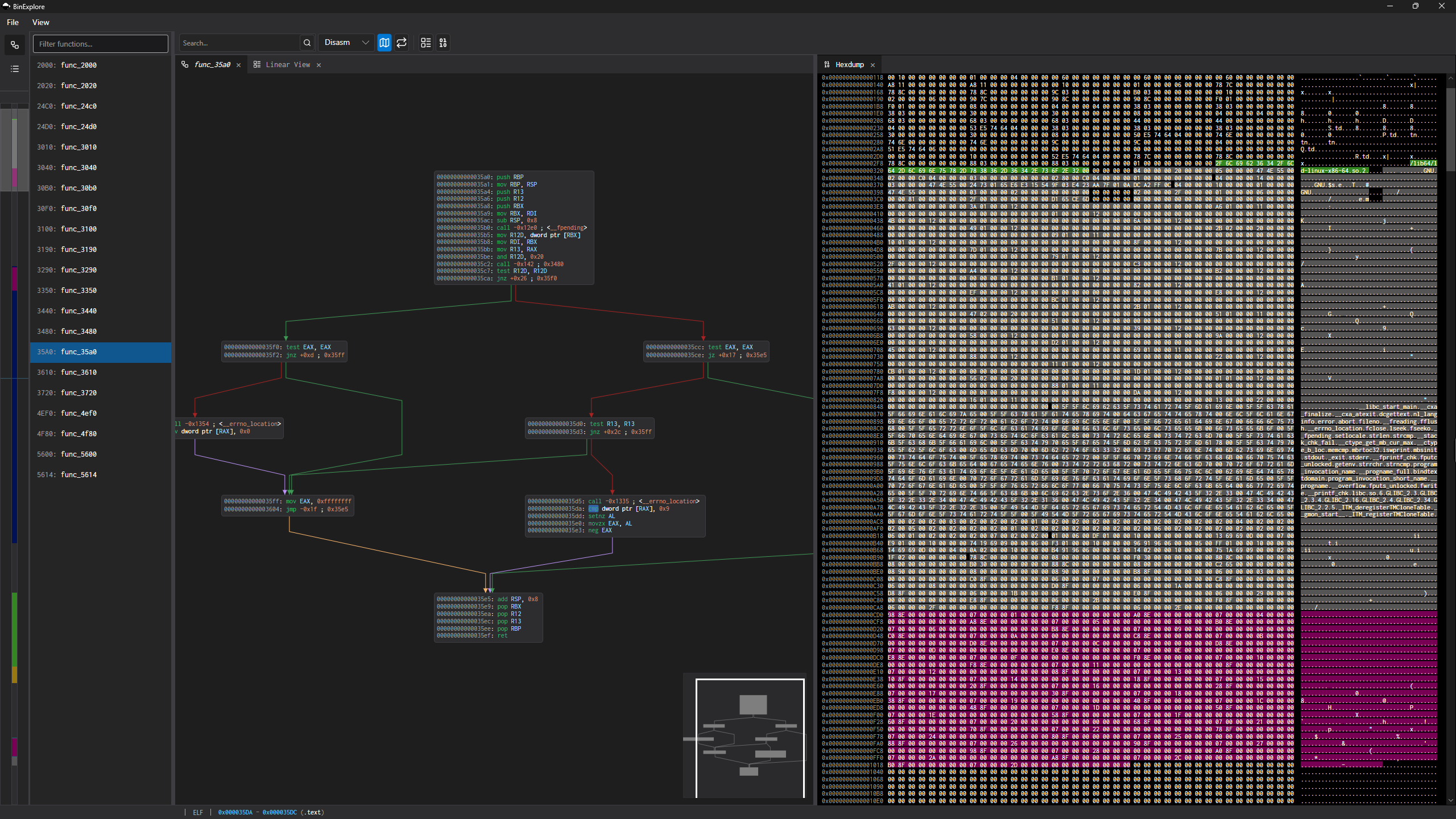
Use this to inspect:
- function list
- section list
- disassembly and CFG workspace
- hex overview and hex view
- navigation toolbar and status bar
In --no-gui mode, enter quit to exit the b2r2 explore REPL.